macOS 14 & later · 7-day free trial
Ship your
Mac app.
In minutes.
Create signed, notarized DMGs without the terminal gymnastics.
Code SigningNotarizationNo Subscription$9.99 One-Time
Create signed, notarized DMGs without the terminal gymnastics.
All the tools Apple requires, wrapped in a clean, native UI.
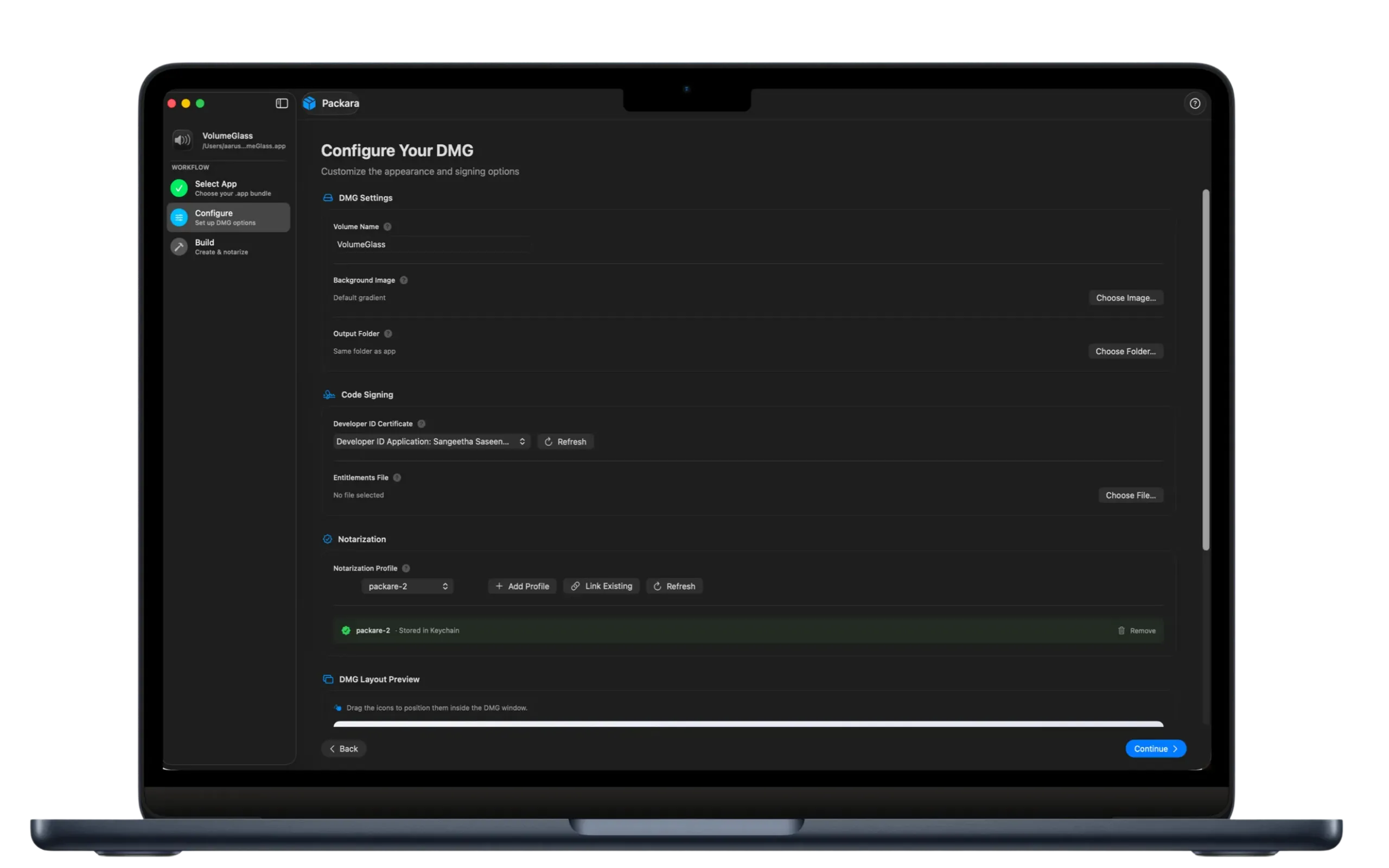
Generate a polished drag-to-install DMG with a custom background and layout. No hdiutil commands.
Automatically sign with your Developer ID certificate. Eliminates error-prone codesign arguments.
Submit to Apple's notary service and staple the ticket in one step. No notarytool wrangling.
Apple ID, app-specific password, and Team ID stored securely in macOS Keychain. Never on disk.
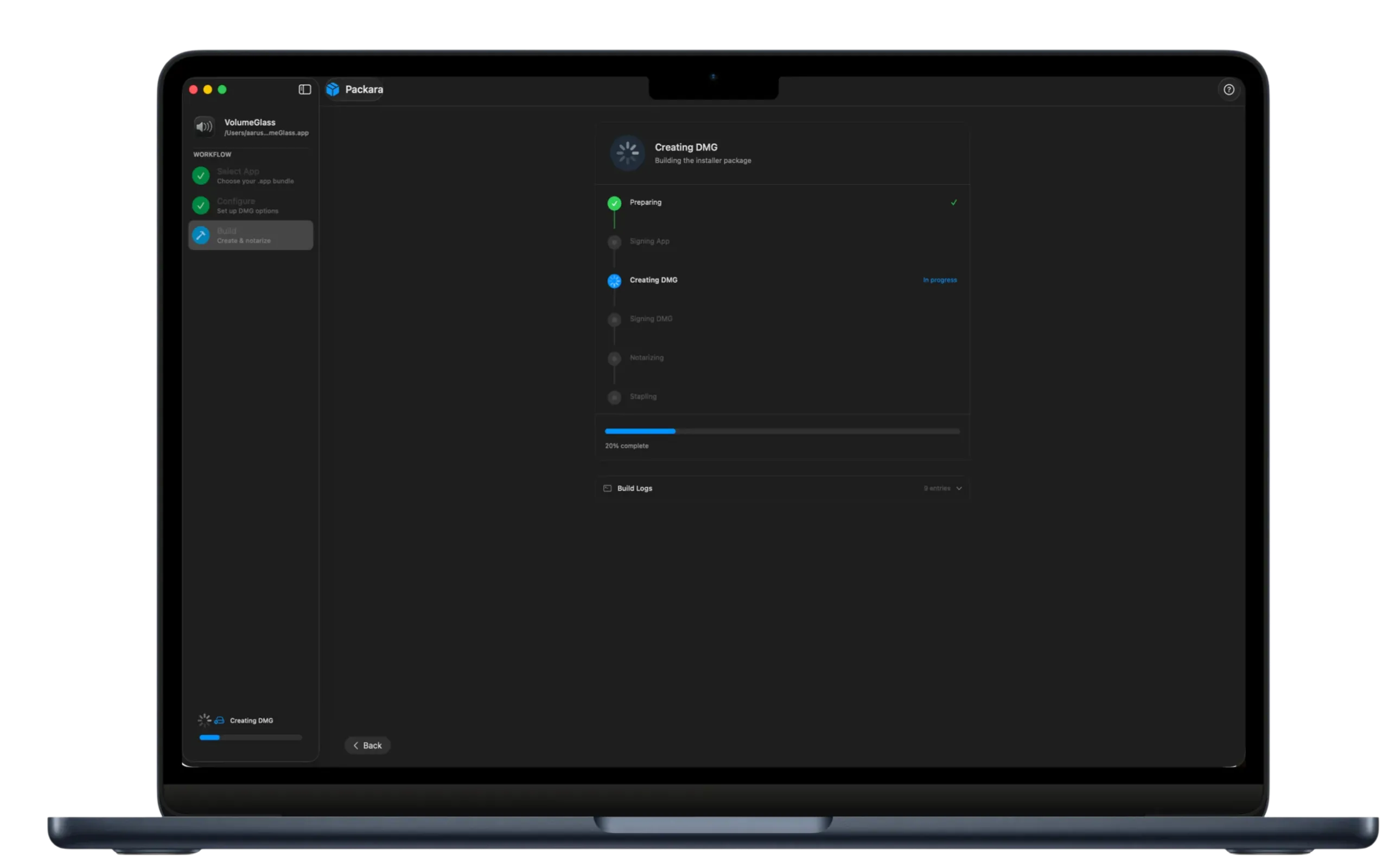
Configure once. Then sign, notarize, staple, and create a DMG in a single button press.
Full build output streams in real-time. Spot signing or notarization errors the moment they happen.
No CLI gymnastics. No documentation diving.
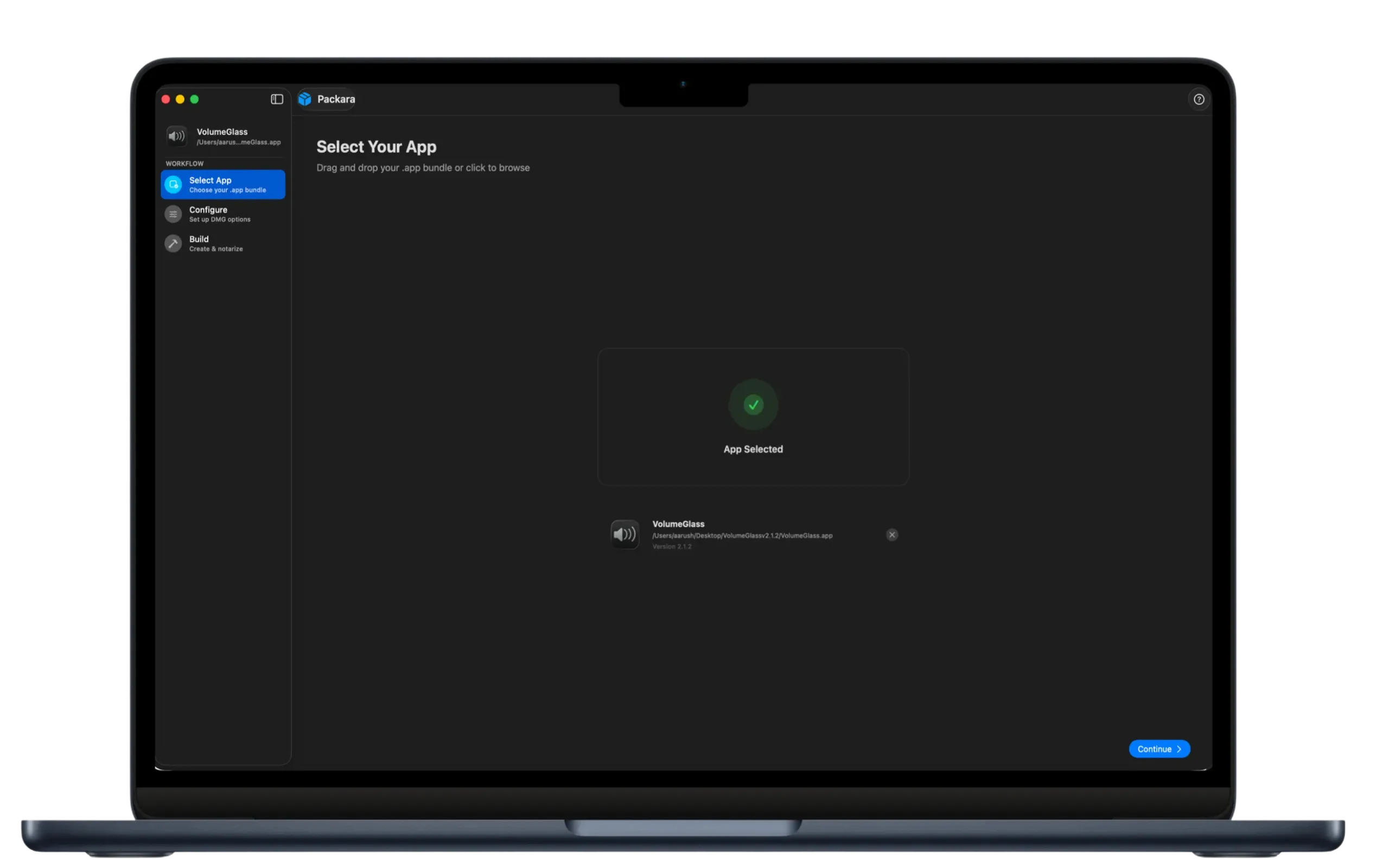
Point Packara at your .app bundle. It reads the name and version automatically.
Enter your Developer ID and notarization credentials. Packara stores them in Keychain permanently.
Packara signs, notarizes, staples, and wraps into a DMG. Watch it happen live.
From .app bundle to signed, notarized DMG — watch the entire workflow in minutes.
7-day trial · No credit card required
A native macOS app built to feel right at home on your desktop. Click any image to expand.
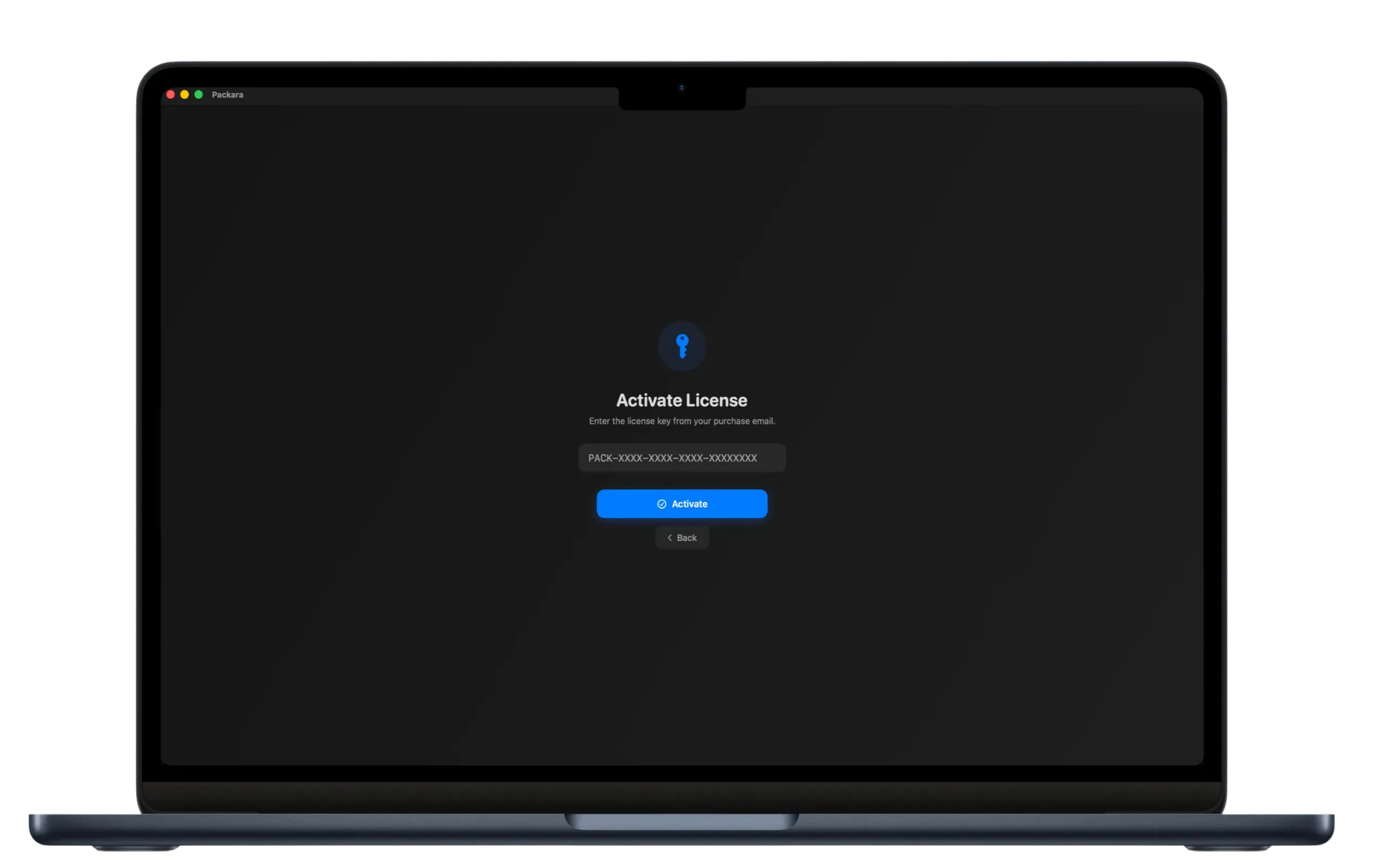
One price. No subscriptions. No renewals. Updates forever.
One-time payment · All future updates included
Download Packara and go from .app bundle to distributable DMG in under 5 minutes.
7-day trial · No credit card · Lifetime license